
Why Keyboard Switches Matter More Than You Think
If you spend hours every day typing, your keyboard switches are the single biggest factor in your comfort, speed, and accuracy. The wrong switch leads to fatigue and frustration. The right one feels effortless. Here’s what you need to know to choose the best switches for your typing style.
The Three Main Types of Keyboard Switches

1. Linear Switches — Smooth and Fast
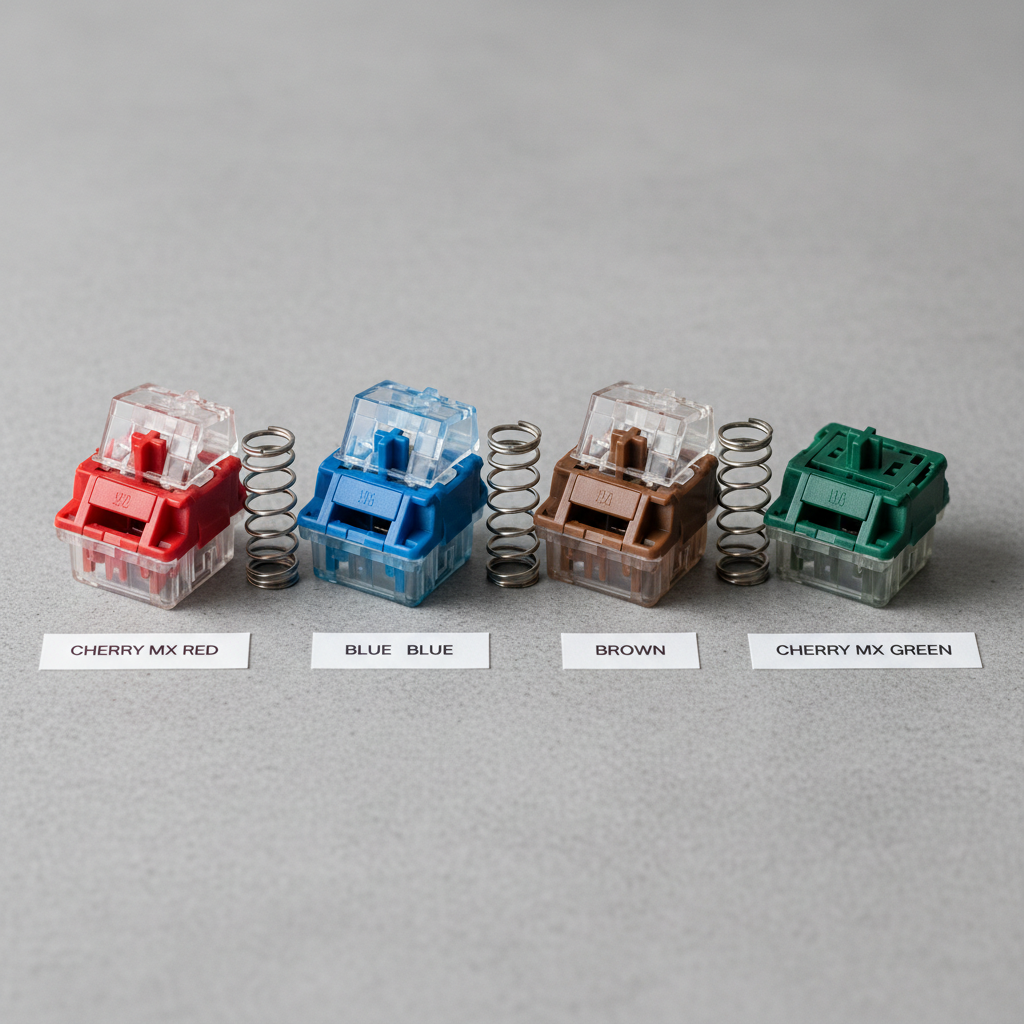
Linear switches travel straight down with no bump or click. They’re quiet, fast, and preferred by gamers and typists who want a fluid, consistent keystroke. Cherry MX Red and Speed Silver are the most popular linear options.
Shop linear switches on Amazon
2. Tactile Switches — Feedback Without the Noise

Tactile switches give you a noticeable bump when the key registers — great for writers and programmers who want confirmation without disturbing coworkers. Cherry MX Brown is the most popular tactile switch worldwide. Gateron Brown and Topre switches are also excellent choices.
Shop tactile switches on Amazon
3. Clicky Switches — Loud and Satisfying
Clicky switches produce an audible click on each keystroke. They’re the most satisfying to type on but the loudest — not ideal for shared offices. Cherry MX Blue is the classic clicky switch. Razer Green is a popular gaming-focused alternative.
Shop clicky switches on Amazon
Top Keyboards by Switch Type in 2026
Best Linear: Keychron K2 Pro (Red Switches)
The Keychron K2 Pro with Red switches is a compact, wireless, hot-swappable mechanical keyboard beloved by remote workers. It works seamlessly across Mac and Windows.
Best Tactile: Logitech MX Mechanical (Brown Switches)
Logitech’s MX Mechanical is the ultimate work keyboard — quiet tactile switches, backlit keys, and smart illumination that adjusts to ambient light automatically.
Best Clicky: Das Keyboard 4 Professional (Blue Switches)
If you want the full clicky typing experience, Das Keyboard 4 Pro is a premium choice. Built like a tank with a machined aluminum top panel.
Which Switch Is Right for You?
- You game or type at high speed: Linear (Red)
- You write all day in an office: Tactile (Brown)
- You work from home alone: Clicky (Blue)
- You’re not sure yet: Try a switch tester kit first
Shop switch tester kits on Amazon
Final Thoughts
The best keyboard switch is the one that matches how you work. If possible, try before you buy with a switch tester — it’s a 5 investment that will save you from a 50 mistake.
Affiliate Disclosure: This post contains affiliate links. We may earn a small commission at no extra cost to you. This helps keep AI Productive Setup free.
Leave a Reply